فنون
تطبيق رسم للأطفال من 4 إلى 12 سنة. نرسم بحرية، ونثبّت الإصبع على الشكل فيترتّب، ونتعلّم الرسم خطوة بخطوة.
Android: قريبًا.
ماذا في فنون؟
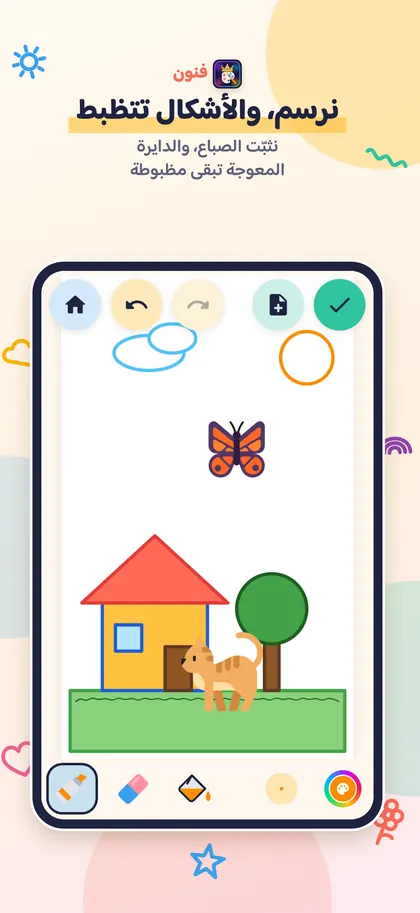
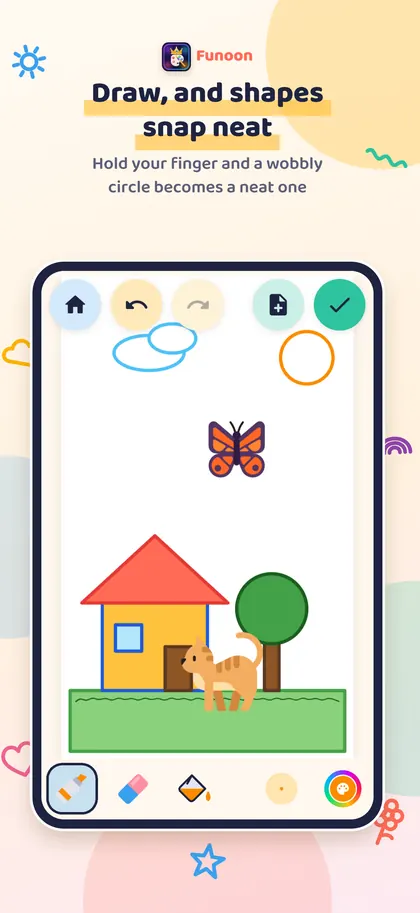
نثبّت الإصبع فيترتّب الشكل
نرسم دائرة أو مربعًا أو خطًا، ونُبقي الإصبع ثابتًا لحظة، فيصبح الشكل مرتّبًا.
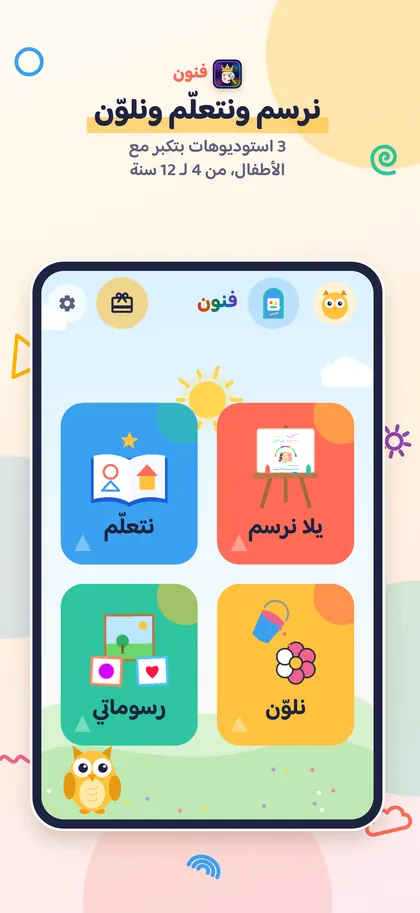
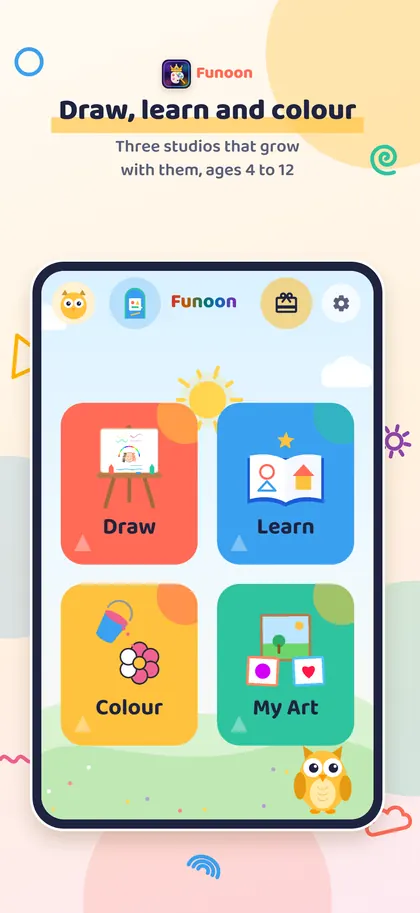
ثلاثة استوديوهات تكبر مع الطفل
علبة الألوان (4 إلى 5 سنوات)، ومكتب الرسم (6 إلى 8)، والاستوديو (9 إلى 12).
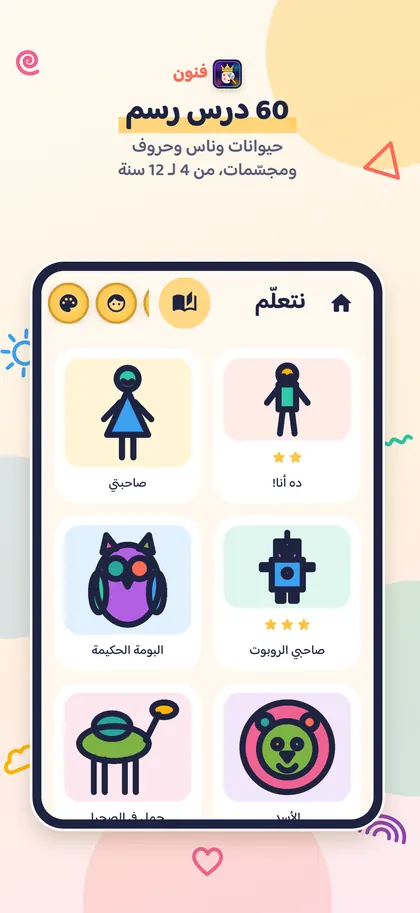
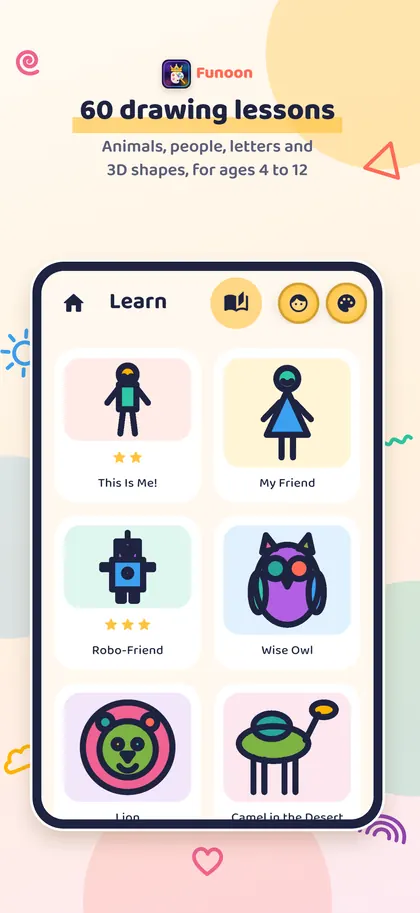
60 درسًا خطوة بخطوة
وجوه وحيوانات وصاروخ ومركب شراعي وغيرها، والخطوة التالية تتبع ما رسمه الطفل فعلًا.
ألوان وفُرش وكتاب تلوين
سطل ألوان، وعشر فُرش ممتعة، وكتاب تلوين مجاني فيه أكثر من 120 رسمة و12 ماندالا.
نكتب كلمة فتصبح رسمة
نكتب «شمس» أو «قطة» بالعربية أو الإنجليزية، فتتحول الكلمة إلى رسمة للتلوين.
للكبار
لا حسابات ولا تسجيل دخول ولا محادثات. الرسومات تبقى على الجهاز، والمشاركة والشراء خلف تحقق خاص بالكبار.
أسئلة شائعة
الشكل لا يترتّب، ماذا نفعل؟
بعد رسم الشكل، يبقى الإصبع ثابتًا لحظة قبل رفعه عن الشاشة.
كيف نغيّر عمر الطفل أو الاستوديو؟
من زر الترس في الرئيسية، ولكل رسّام أزرار للعمر. وزر الباب في الرئيسية يفتح الاستوديوهات.
أين تُحفظ الرسومات؟
في «رسوماتي» على هذا الجهاز فقط. الرسومات المحذوفة تبقى 30 يومًا في «المحذوفة مؤخرًا»، وحذف التطبيق يحذف كل الرسومات.
أداة الكتابة لا تعمل، لماذا؟
تحتاج إلى الإنترنت في أول مرة فقط، لتنزيل نماذج قراءة الخط.
ما هو فنون بلس، وكيف يُسترجع؟
شراء لمرة واحدة يفتح كل باقات الملصقات والخلفيات الإضافية، وكل الدروس والأدوات مجانية للجميع. للاسترجاع: الترس، ثم فنون بلس، ثم «استعادة الشراء».
Funoon
A drawing app for children aged 4 to 12. Draw freely, hold a shape to make it snap neat, and learn to draw step by step.
Android: coming soon.
What is in Funoon?
Hold to snap
Draw a circle, a square or a line, keep your finger still for a moment, and the shape snaps neat.
Three studios that grow with your child
Crayon Box (ages 4 to 5), Art Desk (ages 6 to 8) and Studio (ages 9 to 12).
60 step-by-step lessons
Faces, animals, a rocket, a sailing dhow and more. The next step follows what your child actually drew.
Colours, brushes and a colouring book
A paint bucket, ten fun brushes and a free colouring book with more than 120 pictures and 12 mandalas.
Write a word, get a picture
Write "sun" or "cat" in Arabic or English, and the word becomes a picture to colour.
For grown-ups
No accounts, no sign-in and no chat. Drawings stay on the device. Sharing and buying are behind a grown-up check.
Common questions
The shape does not snap. What can we do?
After drawing the shape, keep your finger still for a moment before lifting it.
How do we change the child's age or studio?
Tap the gear on Home. Each artist has age buttons there. The door button on Home opens the studios.
Where are the drawings saved?
In My Art, on this device only. Deleted drawings stay in Recently deleted for 30 days. Deleting the app deletes all the drawings.
Why is the write tool not working?
It needs the internet the first time only, to download the handwriting models.
What is Funoon Plus, and how do we restore it?
A one-time purchase that opens every bonus sticker and background pack. All lessons and tools are free for everyone. To restore it: the gear, then Funoon Plus, then Restore purchase.
Support and contact
Questions, problems or ideas: email us. We usually reply within two working days.
support@youvyron.com